
My PC in Brisbane doesn't really belong to me any more. Most of its time and most of its computing power now go to AI agents, not to me. They draw images with Qwen Image, animate clips with LTX, build 3D models in Blender and edit whole videos with ffmpeg, while I check the results. Luckily it's a strong box: an Intel Core i9-14900KF with 64GB of DDR5 RAM, which I bought three years ago when 64GB of RAM wasn't expensive. Here's what the agents actually did on it in October, what runs out first, and what I'd tell anyone buying a PC for AI agents today.
What Hardware Do My AI Agents Run On?
An ordinary home desktop, not a workstation or a server. Windows reports:
| Part | What I have | What the agents use it for |
|---|---|---|
| CPU | Intel Core i9-14900KF, 24 cores, 32 threads | ffmpeg video renders, Whisper speech-to-text, Blender scripts, many agent sessions at once |
| RAM | 64GB DDR5-6000 (2 × 32GB Corsair) | Holding models that don't fit on the graphics card, plus everything else running |
| GPU | NVIDIA RTX 4060 Ti, 8GB | Qwen Image 2.1 and LTX video, one job at a time |
| Storage | Six SSDs, about 7.5TB in total | Model files, photo library, video projects |
The graphics card is the modest part. I've written a whole series on what an 8GB GPU can run, and the answer is "more than you'd think, but slowly". The CPU and the RAM are what make the rest of the setup work.
What Did the AI Agents Do on My PC in October?
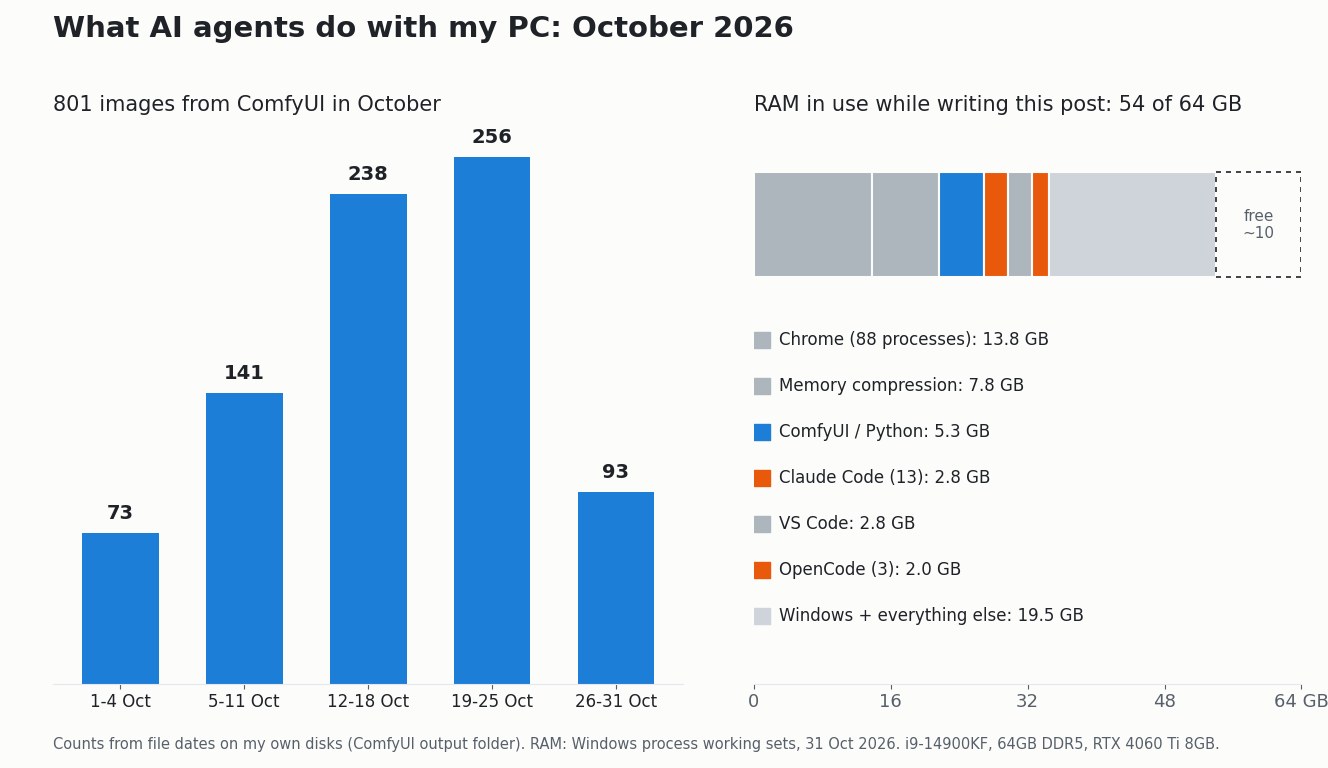
A lot more than I did. I counted the files on the disk for October 2026 (up to 31 October):
- About 800 images from ComfyUI, mostly Qwen Image 2.1. That's nearly four in five (78%) of all the images ComfyUI has ever saved on this PC, in a single month.
- 57 LTX video clips, animated from still images for podcast videos and Shorts.
- 12 video projects: Cantonese podcasts, YouTube Shorts, a music video and jacaranda photo guides, each one cut, captioned and mixed by an agent with ffmpeg.
- 92 Claude Code sessions, and that doesn't count the sessions in OpenCode.
- Over 50 new entries in this site's index, from news posts like yesterday's Mistral Large 4 test to economy mini-sites and photo galleries.
Blender work comes in bursts. Before October, an agent wrote a Python script that built all 25 ship and planet models for my Godot space game, Orbital Empires, in one run, with no clicking in Blender at all. My job has become choosing ideas, checking pictures and saying "no, try again".
Is 64GB of RAM Enough for AI Agents?
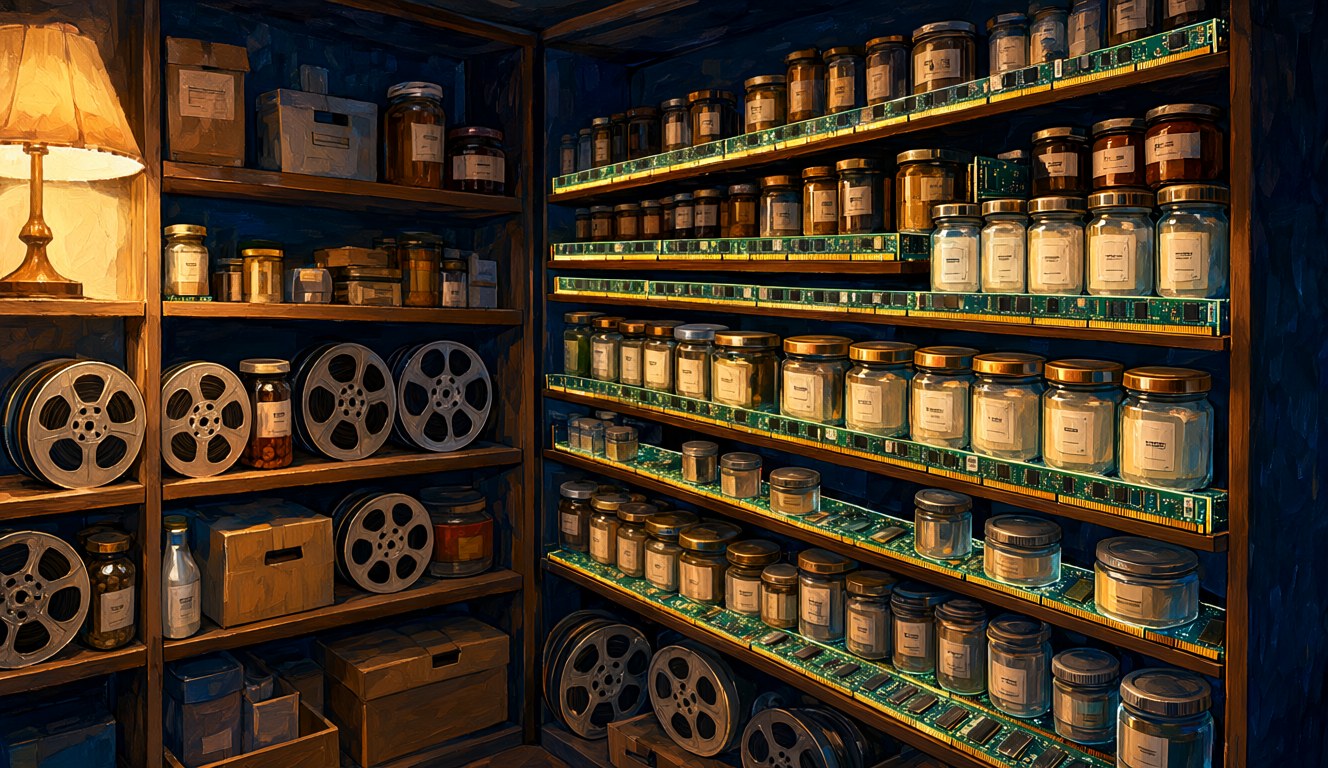
Just. While I was writing this article, Windows showed 54GB of the 64GB in use. Chrome took 13.8GB, ComfyUI was drawing the images for this post, and 13 Claude Code processes and 3 OpenCode processes were running side by side. That left about 10GB free.
RAM runs out before anything else. In October one agent started a batch of LTX video clips in the background. Claude Code stopped the batch because memory was running low, but one leftover process kept going on its own and was holding about 45GB. Since then the rule on this PC is one LTX clip at a time, each as its own job. Video models that don't fit in 8GB of graphics memory spill into system RAM, and that's where 64GB earns its money.
So for a PC that agents will use, RAM is the first thing to get right. On my numbers, 64GB is a sensible minimum, and anything above it is headroom you'll use.
Why Does an 8GB GPU Still Work?

Because the agents are patient and the GPU works one job at a time. The four images in this article took about 35 seconds each on the RTX 4060 Ti at 1328 × 768 (20 steps), timed by ComfyUI. A 10-second LTX clip takes about 4 to 5 minutes. Rendering a finished 5-minute podcast video with captions and music takes about 10 minutes, mostly on the CPU.
The video steps aren't fast. But nobody is sitting there waiting. An agent queues the jobs, checks each result, throws away the bad ones (an image with a beer bottle at a picnic, or a logo where there shouldn't be one) and carries on. A slow GPU that runs all night is fine. A GPU that can't load the model at all is the real problem, which is why I picked models that fit in 8GB: Qwen Image 2.1 in an int8 build, and LTX through Wan2GP, which offloads to RAM.
For the heavy thinking, the agents use cloud models: Claude, and sometimes cheaper ones like MiMo or DeepSeek. The local machine does the media work, where cloud prices add up quickly. My earlier post on local LLMs vs cloud APIs covers where that line sits for text models.
Is the CPU Worth It for AI Agents?
Yes, more than I expected. Speech-to-text for my Cantonese voice notes (Whisper large-v3) runs on the CPU on this machine. Every video render, caption burn-in and face blur goes through ffmpeg on the CPU. And several agents can run at the same time without fighting, because 32 threads leaves room for all of them.
The GPU gets the headlines in AI, but on this PC the CPU does the video work, and video is most of what my agents make. If you're choosing between a bigger GPU and a better CPU plus more RAM on a fixed budget, think about what your agents will actually do. Lots of video and audio editing points to the CPU and RAM.
Who Is the Computer For Now?
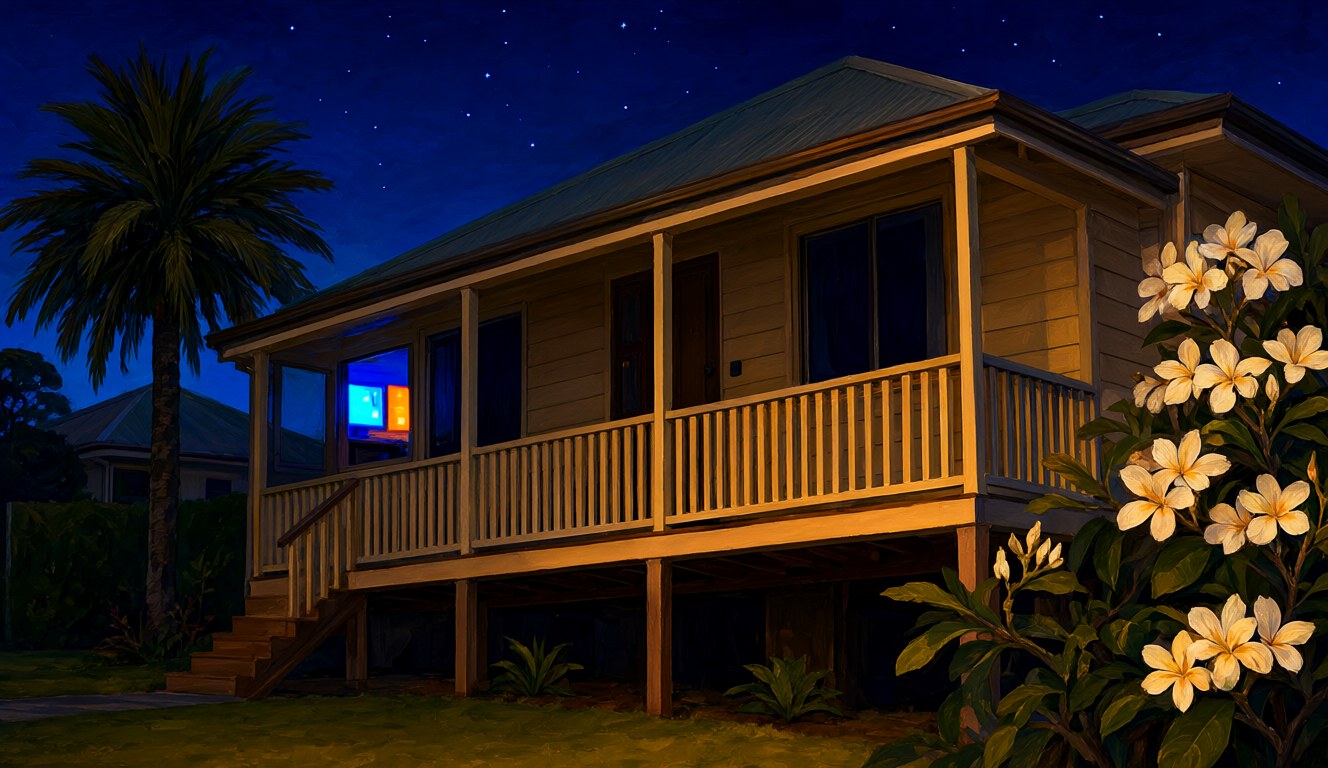
Mostly the agents. I still use it, but more and more I'm the editor, and the PC is a small studio that works through the night in a quiet Brisbane house. The videos for my Claude video workflow post, the images in this series and the AI tags on 7,600 of my photos were all made this way.
Three years ago, 64GB of RAM in a home PC looked like more than I'd ever need. Now it's the number that decides how much the agents can do at once. I'm glad I bought it when I did.
Sources
- Hardware: Windows system information on my own PC (CPU, memory modules, GPU, drives), checked 31 October 2026.
- October counts: files on my own disks dated 1 to 31 October 2026 (ComfyUI output folder, LTX clip folders, video project folders, Claude Code session logs) and my site's llms.txt.
- RAM snapshot: Windows Task Manager data (process working sets) taken while writing this post.
- LTX, render and Whisper timings: my own notes from the podcast and Shorts projects in October 2026.
Checked 31 October 2026. All numbers come from my own PC and are not a benchmark. The images were made locally with Qwen Image 2.1 on the PC described here, the chart was drawn from my file counts, and AI helped me research and edit this post.