It feels like there is a new AI model every day, and on 15 October 2026 it was Meta's turn: Muse Spark Open, the open-weight version of its Muse Spark coding and agent model. It has 816 billion parameters, uses 42 billion of them for each token, reads up to 1 million tokens, and the weights are free to download from Hugging Face. Meta calls it "the most capable US open-weight model to date". On Meta's own benchmark table it leads on tool use but trails Kimi K3 and GLM 5.3 on most coding tests. And no, it will not run on my 8 GB RTX 4060 Ti: the smallest version needs about 300 GB of memory.
Below I go through what Meta released, the benchmarks, the hardware you really need, the price if you use it through an API, and what the licence lets you do. Everything comes from Meta's own pages and the official model card. I have not run it myself.
What Is Muse Spark Open?
It is the downloadable version of Muse Spark, the model behind Meta's Muse Code agent. Meta's partner post on the PyTorch blog says it "shares the same base model as Muse Spark 1.3", with extra safety training added so it holds up without Meta's own guardrails around it.
The official specs:
| Item | Muse Spark Open |
|---|---|
| Released | 15 October 2026, by Meta Superintelligence Labs |
| Size | 816B total parameters, 42B active per token |
| Architecture | Sparse mixture of experts: 256 experts, 8 used per token, 62 layers, with built-in perception encoders |
| Context window | 1,048,576 tokens (1M) |
| Input / output | Text, image, audio and video in; text out |
| Languages | Trained on data from more than 100 languages |
| Reasoning effort | low, medium, high or xhigh (default xhigh) |
| Downloads | BF16 (about 1.65 TB) and NVFP4 (about 537 GB) on Hugging Face, plus partner versions from AMD, Intel and Unsloth |
| Licence | Muse Model License plus an Acceptable Use Policy |
Meta built it for agent work: reading a large codebase, planning a change, calling tools, checking the result and fixing its own mistakes. It can also browse the web, run subagents and use a computer across desktop, mobile and browser.
It is not the same as Muse Wonder, the closed model Meta released three days earlier. You can only use Muse Wonder through Meta's API or Muse Code. Muse Spark Open is the one you can download.
Is Muse Spark Open Better Than Kimi K3 and GLM 5.3?
On tool use, yes. On coding, no. In Meta's own table it beats Kimi K3, GLM 5.3 and Qwen3.8 on MCP-Atlas and JobBench, but comes last or second-last on Terminal-Bench 2.1, DeepSWE and SWE-Atlas.
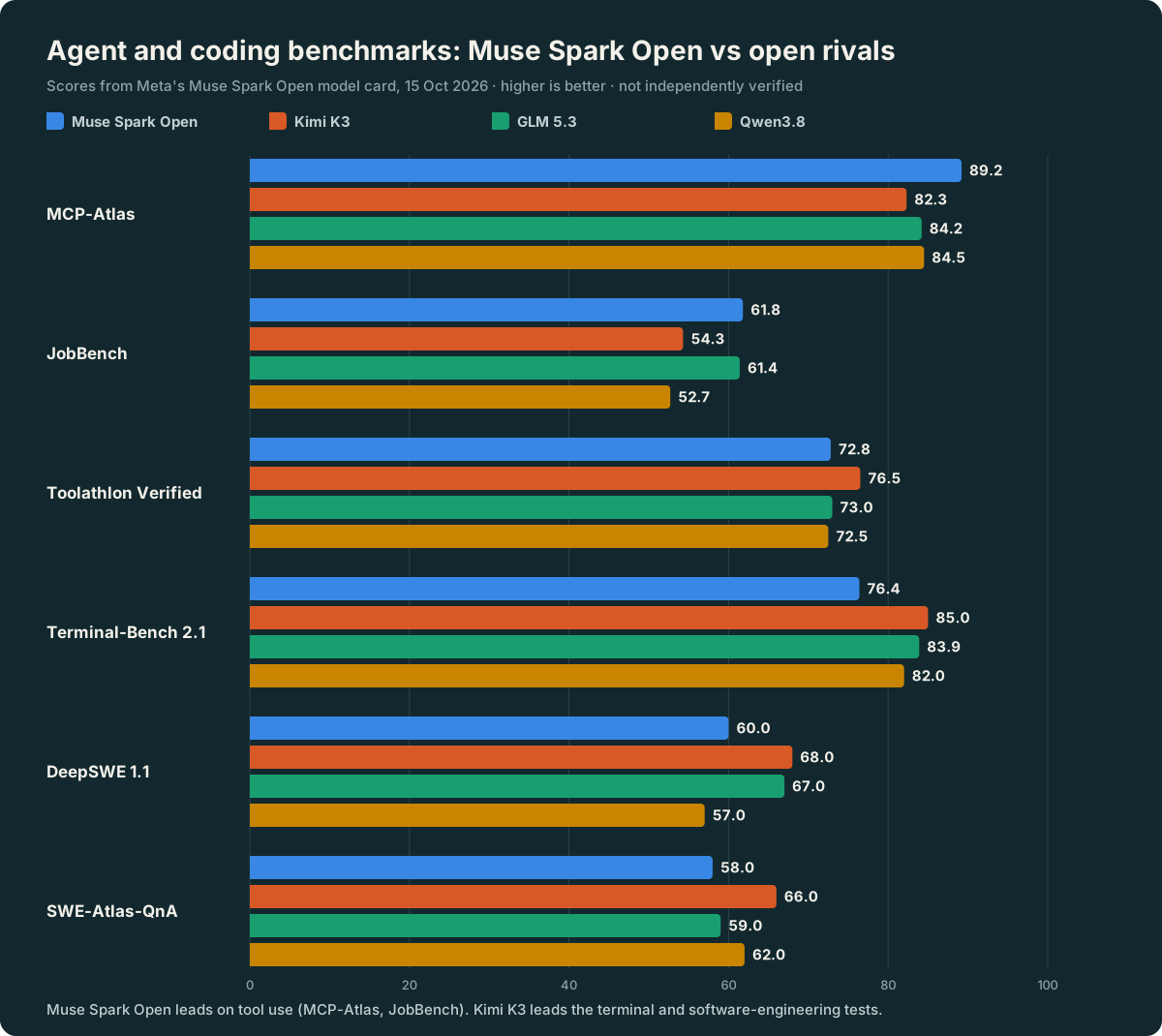
The full picture from the model card, with the top score in each row in bold:
| Benchmark | Muse Spark Open | Kimi K3 | GLM 5.3 | Qwen3.8 |
|---|---|---|---|---|
| AA Intelligence Index | 39 | 44 | 45 | 40 |
| MCP-Atlas (tool use) | 89.2 | 82.3 | 84.2 | 84.5 |
| JobBench | 61.8 | 54.3 | 61.4 | 52.7 |
| Toolathlon Verified | 72.8 | 76.5 | 73.0 | 72.5 |
| OSWorld Verified (computer use) | 80.4 | 84.8 | - | - |
| Terminal-Bench 2.1 | 76.4 | 85.0 | 83.9 | 82.0 |
| DeepSWE 1.1 | 60 | 68 | 67 | 57 |
| SWE-Atlas-QnA | 58 | 66 | 59 | 62 |
| HLE-Diamond (no tools) | 26.1 | 22.2 | 16.4 | 17.3 |
| GPQA Diamond | 89.0 | 93.5 | 91.7 | 93.5 |
| AA Omniscience (penalises made-up answers) | 25 | 20 | 14 | 4 |
My reading: Muse Spark Open is a strong agent model that picks the right tool and makes fewer things up, but it is not the best open model for pure coding. If your main job is writing code in a terminal, Kimi K3 still scores higher on Meta's own chart. I compared Kimi K3 and GLM 5.3 in more detail in Mistral Large 4 vs Kimi K3, GLM-5.3 and Claude Opus 5.
Where it clearly stands out is safety. On the StrongREJECT v2 jailbreak test (lower is better) Meta reports 0.5 for Muse Spark Open against 62.9 to 66.6 for the other three. In Meta's cyber tests it refused 99.2% of jailbreak attempts, against 75.5% for Kimi K3. That makes sense for a company releasing weights anyone can download, but remember that these are Meta's tests of its own model.
What Hardware Do You Need to Run Muse Spark Open?
A lot. Only 42B parameters work on each token, but all 816B have to sit in memory. The model card says the NVFP4 version needs at least 700 GB of VRAM and the full BF16 version about 2 TB.
These are the setups Meta and its partners list:
| Platform | Version | Hardware |
|---|---|---|
| NVIDIA | BF16, about 1.65 TB | 8 × B300 GPUs |
| NVIDIA | NVFP4, about 537 GB | One 4-GPU Blackwell node (B300 or GB300), or eight H200s |
| AMD | BF16, FP8 or MXFP4 | 8 × Instinct MI355X or MI350X, with vLLM |
| Intel | INT4 | Xeon 6 CPUs (such as the 6980P), with SGLang |
| Apple | NVFP4 with MLX | 2 × Mac Studio M5 Ultra with 512 GB each, or 4 with 256 GB each, linked over Thunderbolt 5 (macOS 26.2 or later) |
| Unsloth | GGUF, about 2-bit and up | Smallest needs about 300 GB of RAM and VRAM combined (llama.cpp) |
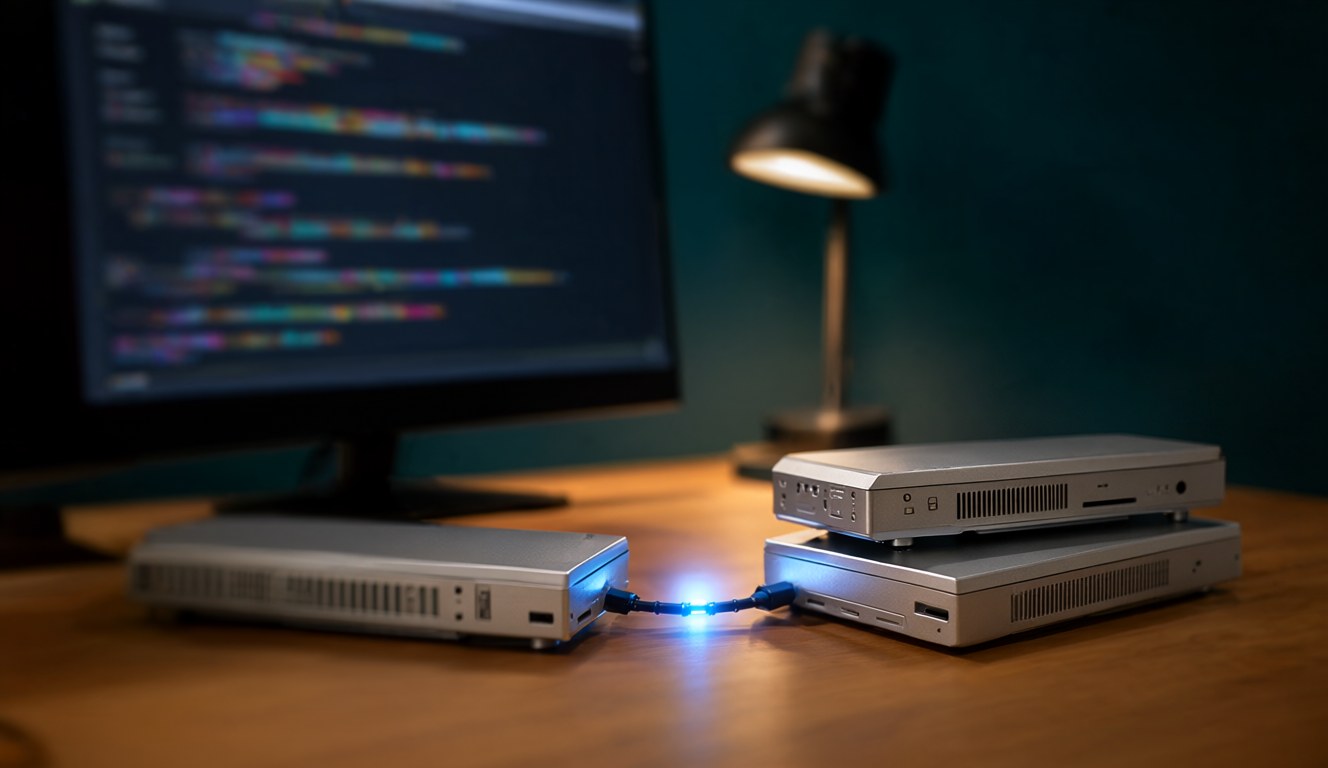
The two-Mac setup is the headline. Meta's research blog calls it the first model in its class to run on a desktop, and says it ran real agent jobs entirely on the two Macs, including iOS changes to the open-source Mastodon app Ice Cubes and cropping footage in DaVinci Resolve. That is impressive, but two 512 GB Mac Studios are still a very expensive "desktop".
Can I Run Muse Spark Open on an 8GB GPU?
No. My workstation has an 8 GB RTX 4060 Ti and 64 GB of RAM, so 72 GB in total. The smallest Unsloth GGUF needs about 300 GB. Even at 2 bits per weight, 816B parameters take about 204 GB before the context. My PC is roughly a quarter of the way there.
The sparse design helps speed, not memory. Only 42B parameters are active per token, so it runs fast once it is loaded, but every expert still has to be loaded somewhere. On a home PC, models around 27B to 30B are the realistic ceiling. My Saluki 27B test squeezed a 27B model into 7.89 GB and got 4.7 tokens per second.
Meta's own answer for local use is a different model, Muse Glimmer, a 30B multimodal model distilled from Muse Spark and meant for local and edge devices. A 30B model still needs about 15 GB at 4-bit, so it would need offloading on 8 GB. I have not tested it yet, but it is the Meta model I will try next.
How Much Does Muse Spark Open Cost Through an API?
On OpenRouter, US$1.25 per million input tokens and US$4.25 per million output tokens, with a 1M context. That is the same price OpenRouter lists for the hosted Muse Spark 1.3, and well below Muse Wonder's US$4 input and US$20 output: about a third of the input price and about a fifth of the output price.
Meta's launch partners for hosted use are Baseten, Fireworks AI, Groq (limited preview), Modal, Nebius, OpenRouter and Together AI. The weights are also in the model catalogues of Amazon SageMaker AI, Google Cloud Model Garden and Microsoft Foundry. Meta's own pages give no partner prices, so check each provider before you commit. As I wrote in why you should avoid annual AI subscriptions, with models arriving this fast, pay-as-you-go is the safer way to try them.
If you are weighing up running models yourself against paying per token, my local LLM vs cloud API guide walks through the costs for an Australian developer.
What Does the Muse Model License Allow?
More than most people would expect from Meta, with a few catches. According to the model card summary, the licence lets you use, fine-tune, distil, merge, publish and even sell the model and things built with it. Meta claims no ownership of what the model writes.
The conditions to know:
- Attribution: you must show "Built with Muse Spark Open" in your product's UI, documentation, website or settings.
- Big API providers: if you sell API access to the model and your group's gross revenue is over US$20 million in any 12 months, you must tell Meta and sign a separate agreement first. Internal use, research and building it into your own product are exempt.
- Acceptable Use Policy: the usual list of banned uses, such as malware, weapons and impersonation. The model is not meant for people under 18.
- Gated download: on Hugging Face you must give your full legal name, date of birth and organisation, and you cannot edit the form after you submit it.
For a small developer or business in Australia, the US$20 million rule will almost never apply. The attribution line and the gated form are the parts you will actually meet.
Should You Care About Muse Spark Open?
Yes if you build agents, want a model you can host yourself in your own cloud account, or care about safety and fewer made-up answers. The 1M context, strong tool use and a fairly open licence are a good mix, and US$1.25 per million input tokens is cheap for its size.
Not really if you want the best coding model, or anything you can run at home on a normal PC. Kimi K3 still leads on Meta's own coding tests, and the hardware needs put it out of reach for home users. For most people reading this, the practical way to try it is an API through OpenRouter or another partner.
The bigger story is that Meta is back in open weights with a model near the top of the open field, three days after its closed Muse Wonder. With a new model almost every day, I will keep testing the ones that actually fit on an 8 GB card and writing up what I find.
Sources
- Meta, "Muse Spark Open" docs, dev.meta.ai/docs/muse-spark-open, with the Get the model and Hardware platforms pages: specs, checkpoints, hardware setups, launch partners.
- Meta, Muse Spark Open model card on Hugging Face: release date, architecture, benchmark and safety tables, licence summary, limitations.
- Meta Superintelligence Labs, research.meta.ai/blog/muse-spark-open (15 October 2026): headline claim, Mac Studio tests, safety framework.
- Meta, Build with Muse Spark Open (15 October 2026): quantized versions, GGUF sizes, hosted partners.
- PyTorch, Muse Spark Is Now an Open-Weights Model (15 October 2026): shared base with Muse Spark 1.3, extra safety training, Helion kernels.
- Meta, Open-weight models: Muse Glimmer 30B.
- OpenRouter model list (checked 16 October 2026): Muse Spark Open, Muse Spark 1.3 and Muse Wonder API prices.
Figures checked on 16 October 2026. All benchmark and safety scores are Meta's own published numbers and have not been independently verified. Prices are in US dollars. I have not run Muse Spark Open myself, because it does not fit on my hardware. This article was researched and drafted with AI assistance (Claude) and reviewed by me. The images were made locally with Qwen Image 2.1 on an 8 GB RTX 4060 Ti, and the chart was drawn from the published scores.